




Supplier list review
How can you view suppliers?
1- This can be done through the side list -> then suppliers -> then suppliers list
2- You can view suppliers and search through them with the name (for example: Star supplier)
3- Then scroll down the page till you reach the added suppliers, and the data will appear as follows:-

How do I view suppliers details and edit or delete a previously added suppliers?
1- This can be done through the side list -> then suppliers -> then suppliers list
2- Then scroll down the page till you reach the added suppliers, or search the supplier and the data will appear as follows:-

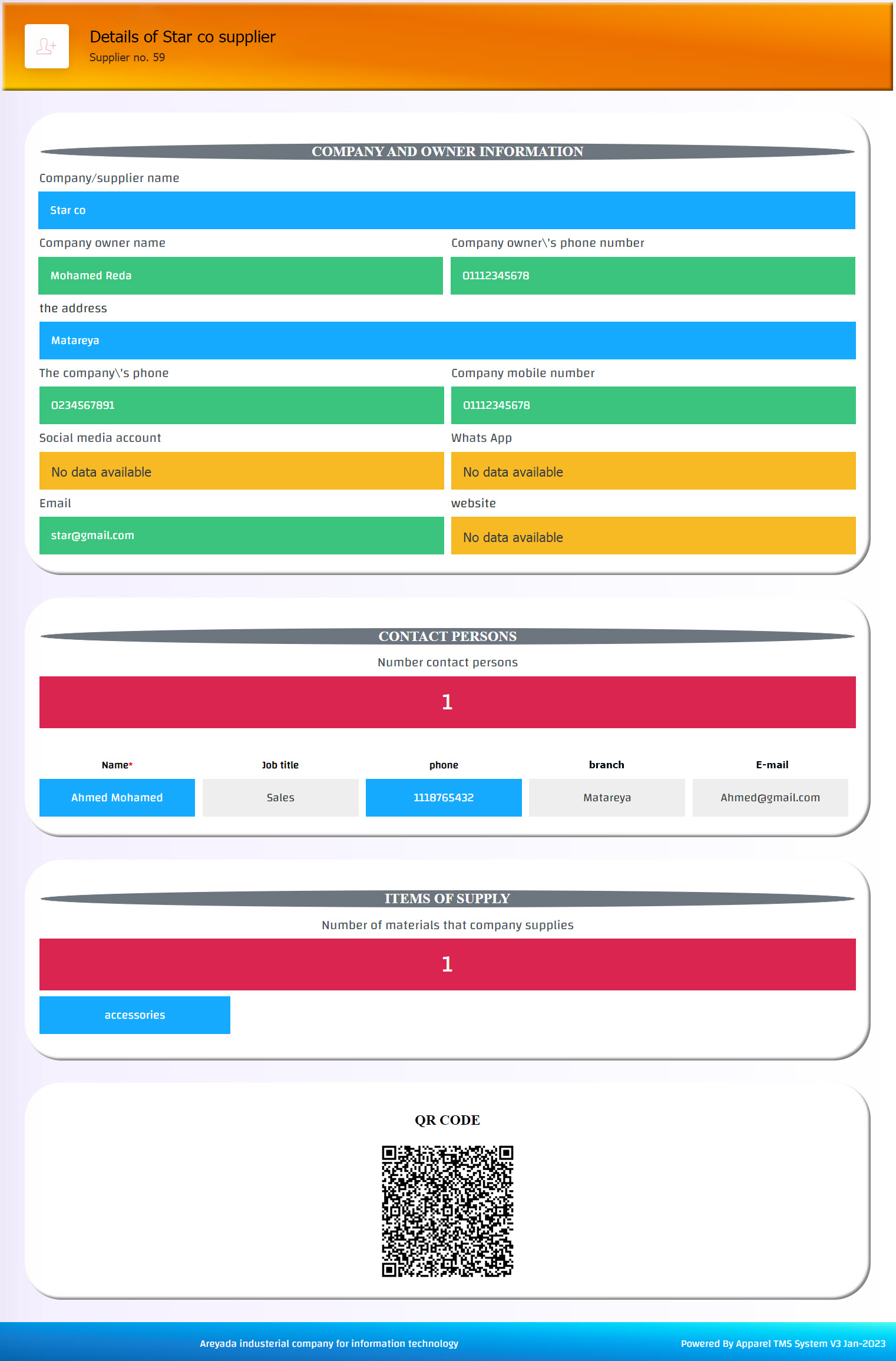
3- To view all customer details, press show more (1) and all data will appear as shown:-
4- If you want to edit, go back to the suppliers list -> then scroll to the supplier and press data modification button (2) and edit what is needed -> then press on Confirm button, in case of successful operation, a message will appear (Success).
5- If you want to delete the supplier, also from the suppliers list -> then scroll to the supplier and press delete button (3) and confirm the action, in case of successful operation, a message will appear (Deleted)
But be careful, deletion is an action that cannot be undo!! Also, deleting the supplier is followed by deleting the supplier number (as the number is a special code for each supplier, not a serial number).