




Re-Order
In case you want to repeat an order for the same customer with a different amount, or want to add a new order that is similar to a previous one with some differences, it can be added easily by repeating an order and modify it, which saves some time.
How to duplicate an order with changing amount or some details?
1- This can be done through the side list -> then Orders -> then Orders view
2- Find the order either by searching with order number or customer name or scrolling down through the list, the data will appear as follows:-

3- Then press re-order button
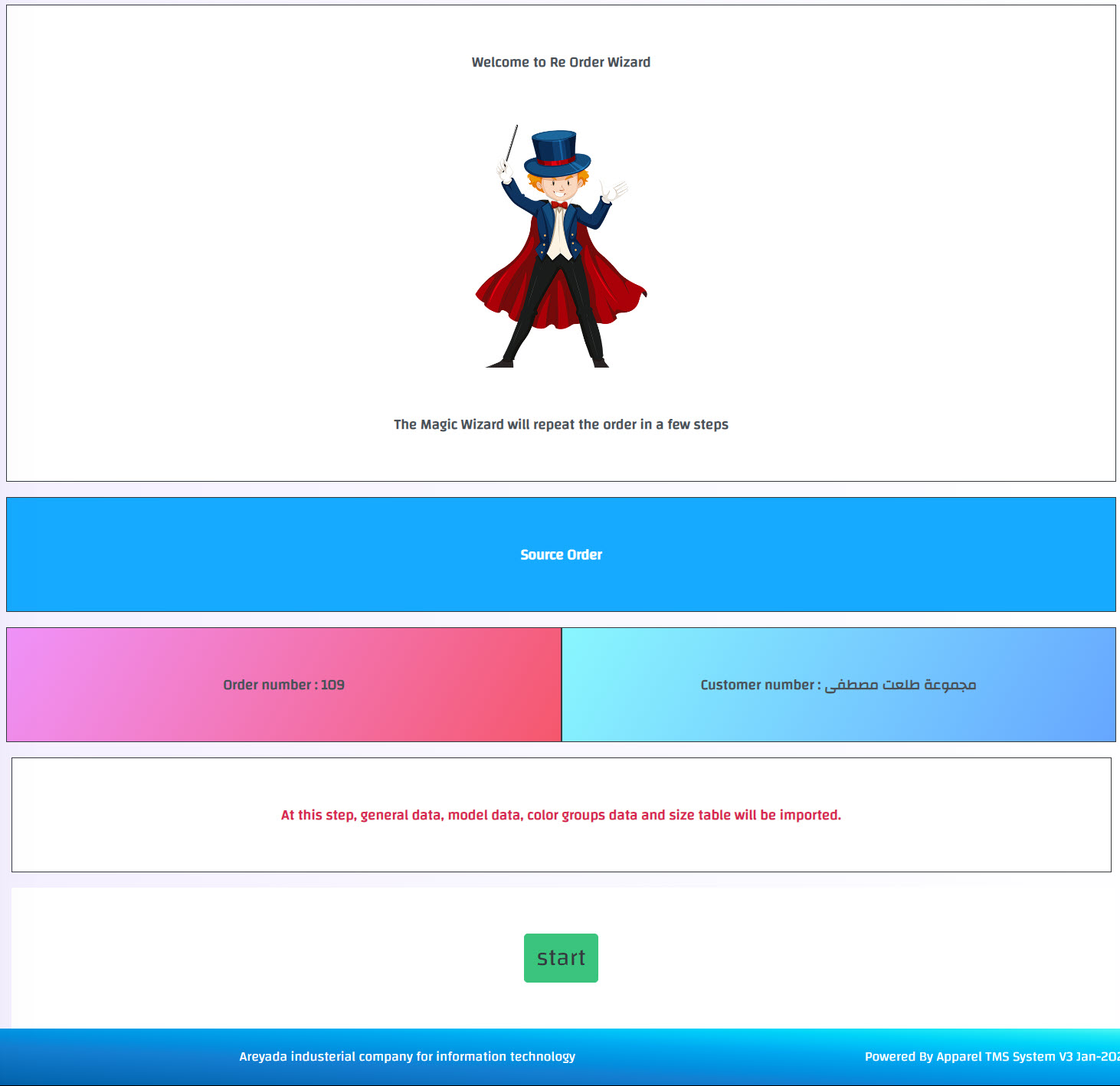
4- You will be redirected to a new page to confirm the duplication by clicking on Start Button -> then confirm by pressing got it button as follows:-
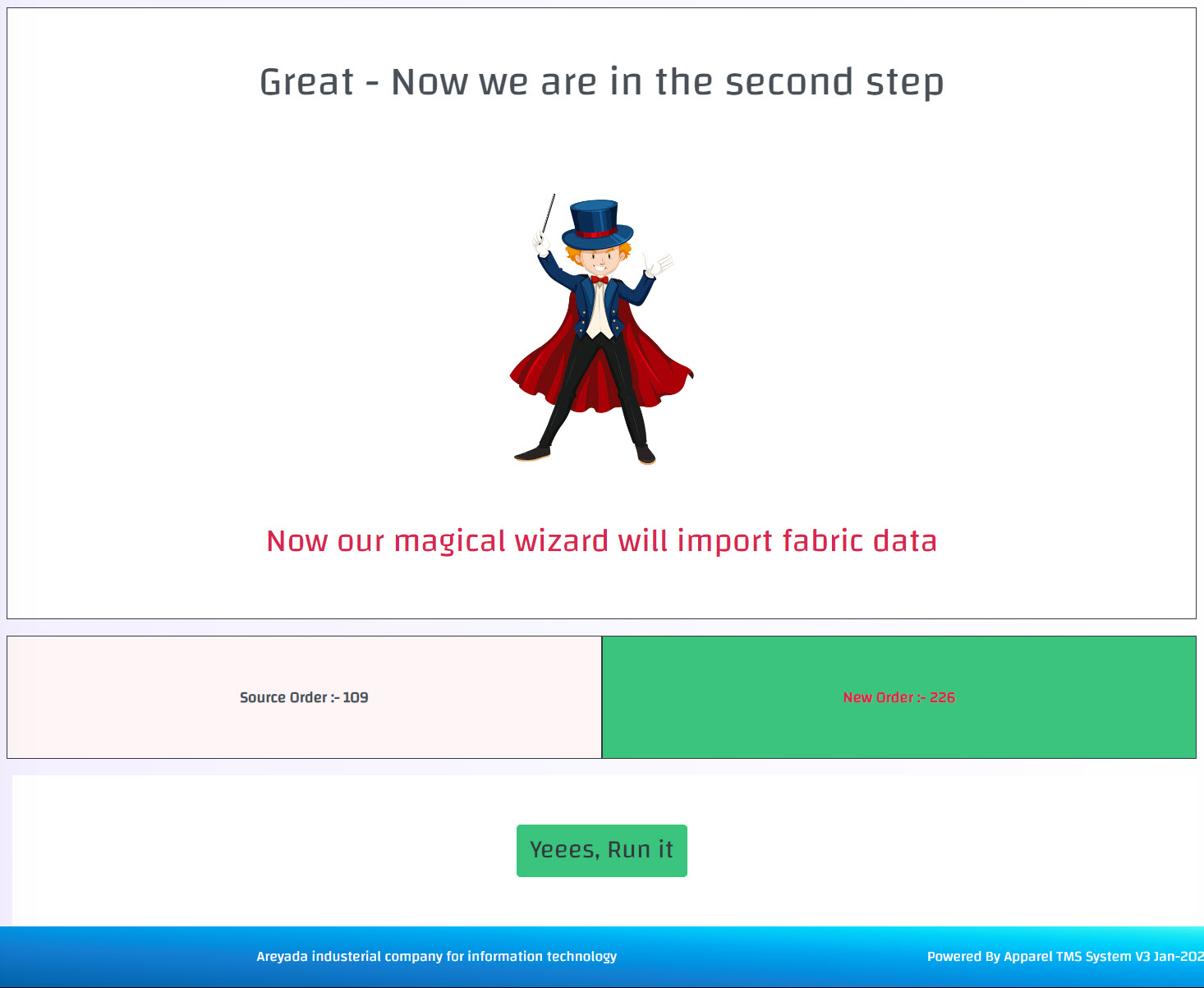
5- Then you will be redirected to the next step showing the old order number and the re-order number after duplicating it, press yes run it button -> then confirm by pressing got it button as follows:-
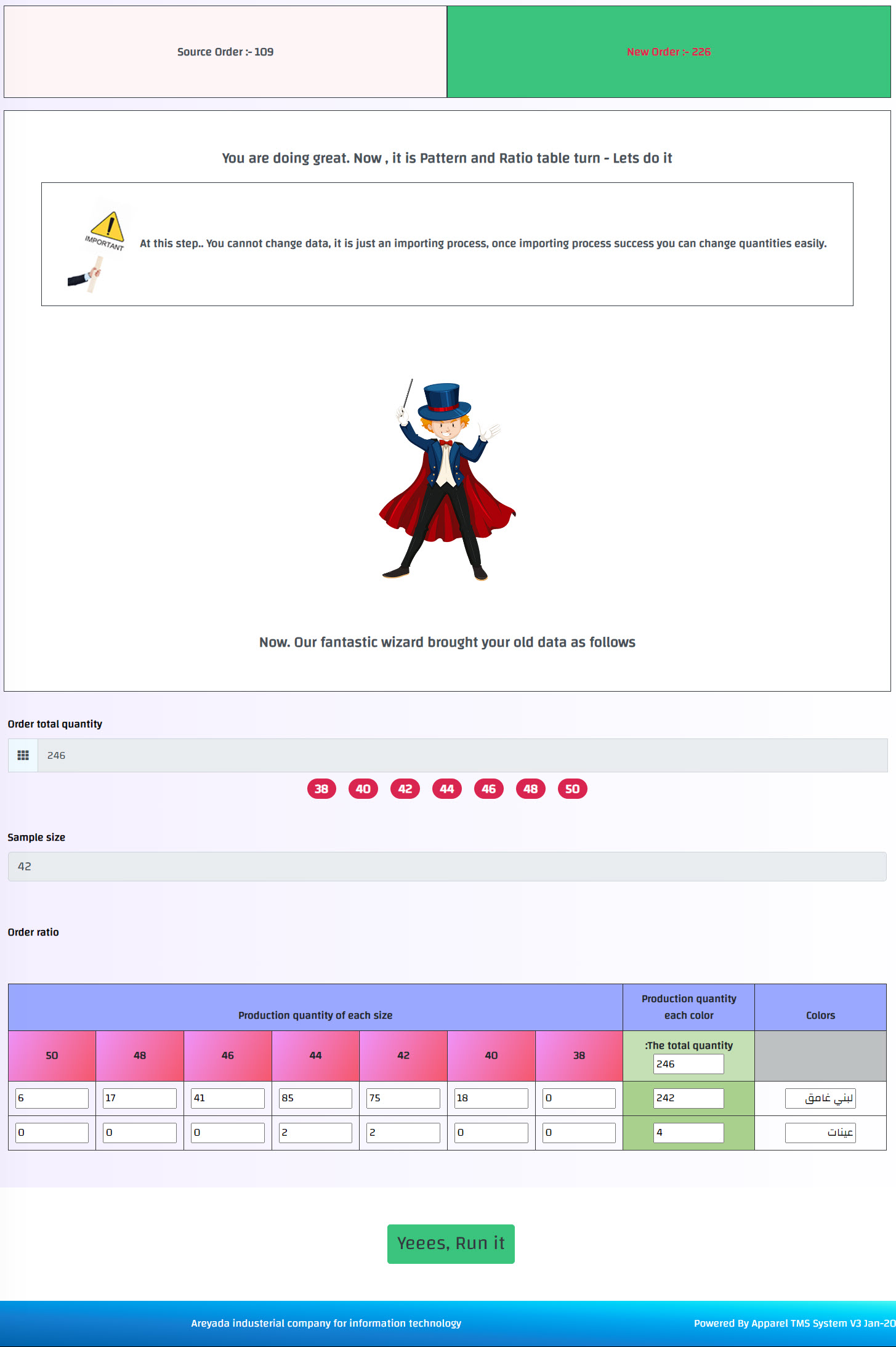
6- Then you will be redirected to the next step showing the old order sizes and amounts, press yes run it button -> then confirm by pressing got it button as follows:-
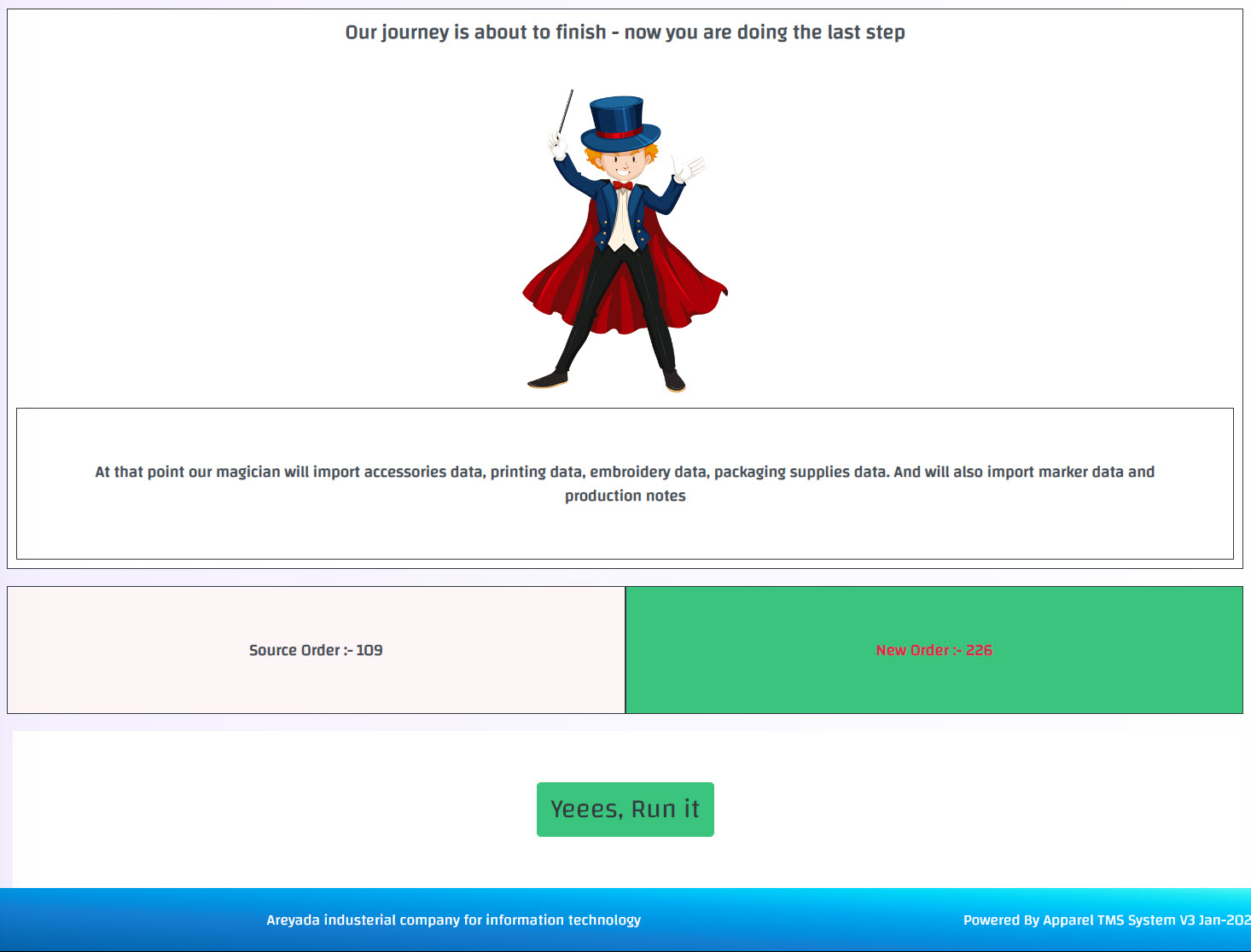
7- Then you will be redirected to the final confirmation step, press yes run it button -> then confirm by pressing got it button as follows:-
8- The order is duplicated successfully, and you will be transferred to the new order after duplication, and you can modify amounts or other details to fit the new order