




Main settings
What is main settings?
The main settings of Apparel TMS system are the main rock on which the database will be built depending on the work culture of the factory or company
What is main settings items?
The main settings contain several items (main categories- subcategories - fabric kind - textile care main categories - textile care subcategories) as shown:
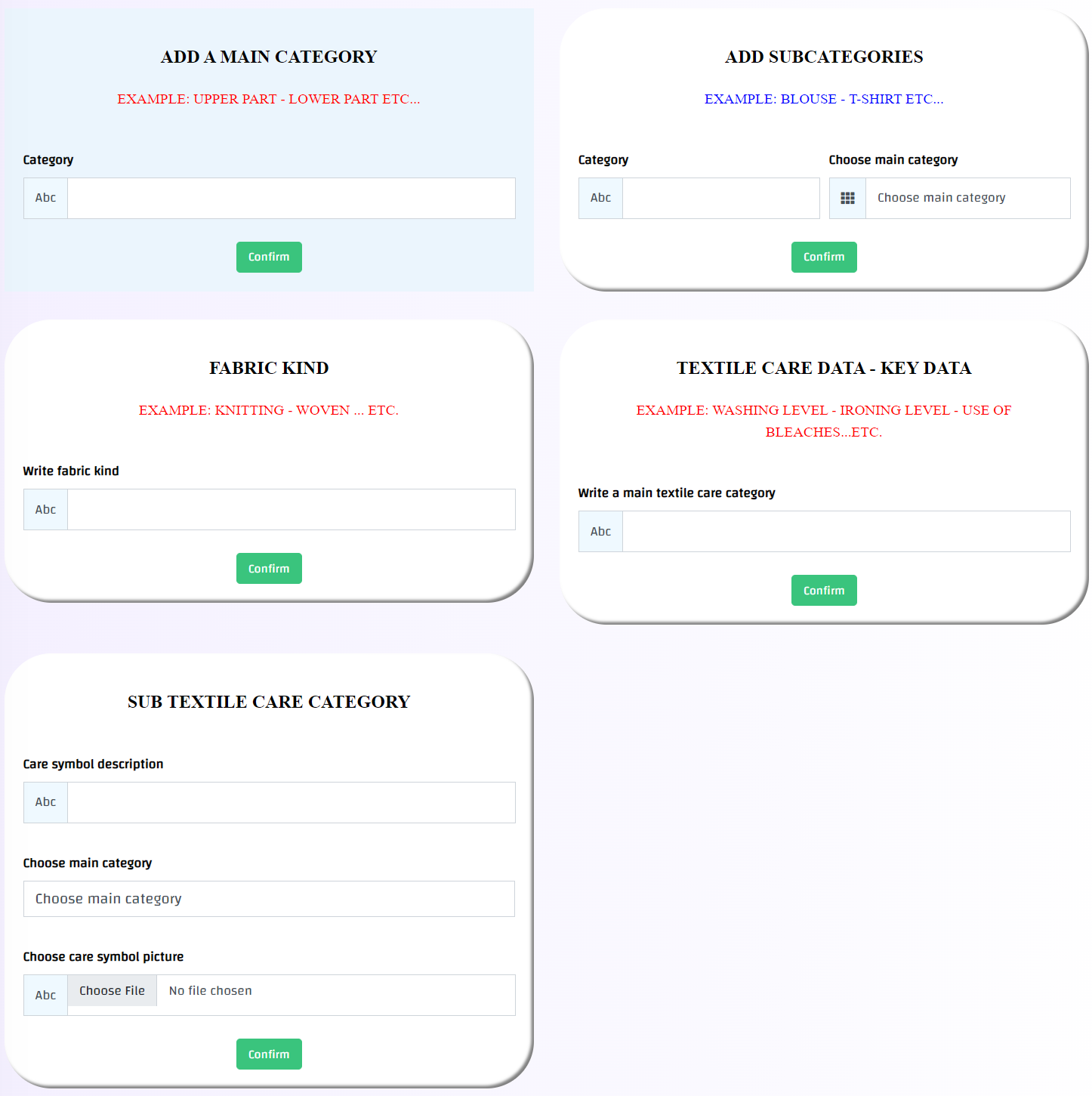
# Main categories: are the basic categories of clothes (such as: upper section, lower section, one piece … etc.)
# Subcategories: are the names of the clothing items that fall under the basic categories of clothes (such as: polo shirts, trousers, overalls ... etc.)
# Fabric kind: (such as: knitted, woven, non-woven)
# Textile care data key data: These are the basic categories used in care labels (such as: washing level, drying method ... etc.)
# Sub textile care category: It is the data that falls under the basic categories of care labels (such as: machine washing on cold, drying with automatic washing machine ... etc.)
How can I reach the main settings?
1- This is done through the side menu -> System configuration -> Main Settings
2- Then go to the add data boxes and write the required data in the text box
3- Then press Confirm button , in case of successful operation, a message will appear (Success).
How can I view and edit or delete previously added main settings items?
1- Through the side menu -> System configuration -> Main Settings
2- Scroll down the page till you reach the added items, and the data will appear as follows:-
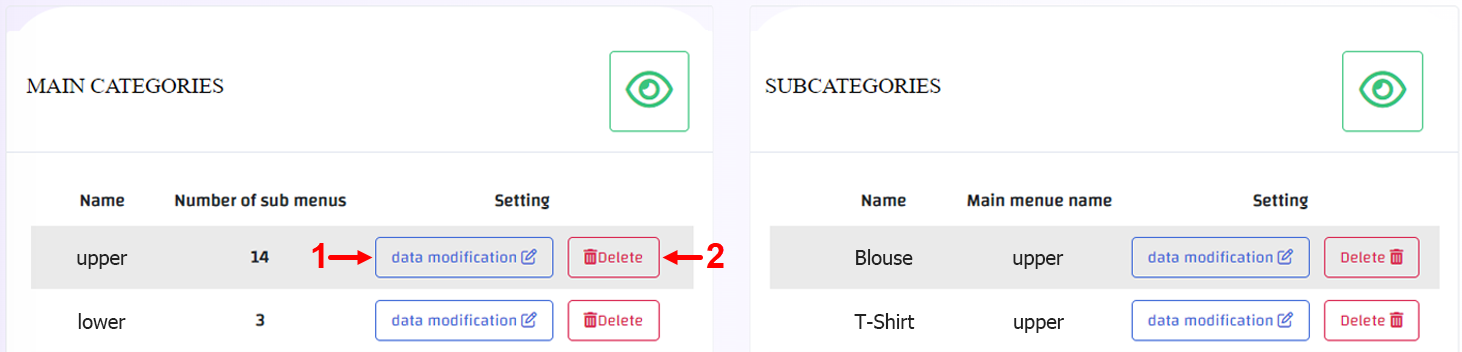
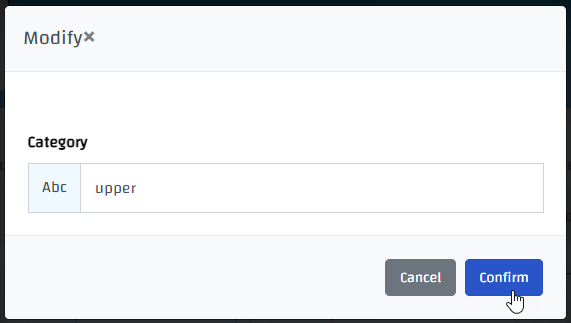
3- In case you want to edit press on data modification button(1) and edit what is needed -> then press on save changes as shown
4- In case you want to delete press on delete button(2) in case of successful operation, a message will appear (Deleted).
But be careful, deletion is an action that cannot be undo!!