




Adding fabric categories
What is fabric categories items?
Fabrics are categorized into several items (textile composition - commercial description - fabric use) as shown:-
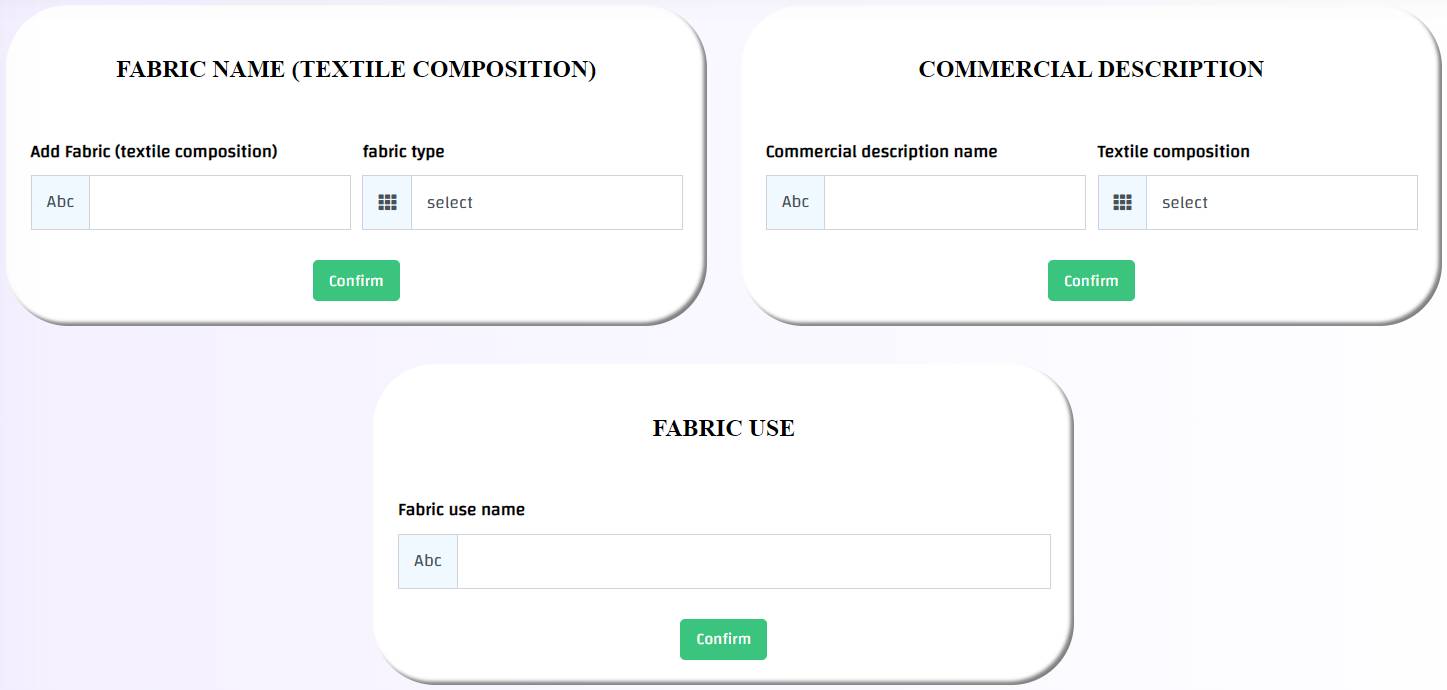
# Textile composition: It is the structure description of crossing threads (eg: silk, plain 1:1 ... etc.)
# Commercial Description: it is the commercial names of fabrics (such as: waterproof, derby, Piqué...etc.)
# Fabric use: It is the description of fabrics uses (such as: basic, inlay, lining, etc.)
How can I reach fabric categories?
1- This can be done through the side list -> then system configuration -> then Add fabric categories
2- Then go to the add data boxes and write the required data in the text box
3- Then press Confirm button , in case of successful operation, a message will appear (Success).

How can I view and edit or delete previously added fabric categories items?
1- This can be done through the side list -> then system configuration -> then Add fabric categories
2- Scroll down the page till you reach the added items, and the data will appear as follows:-
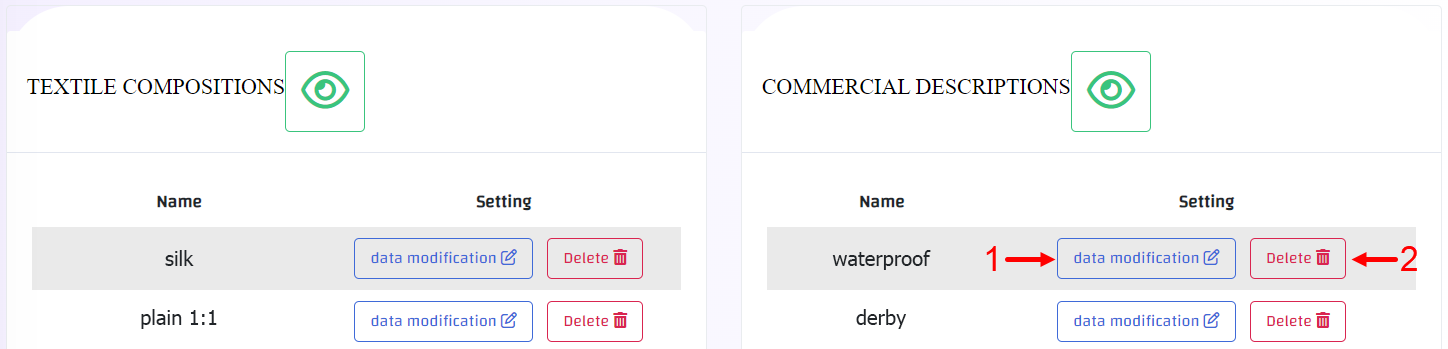
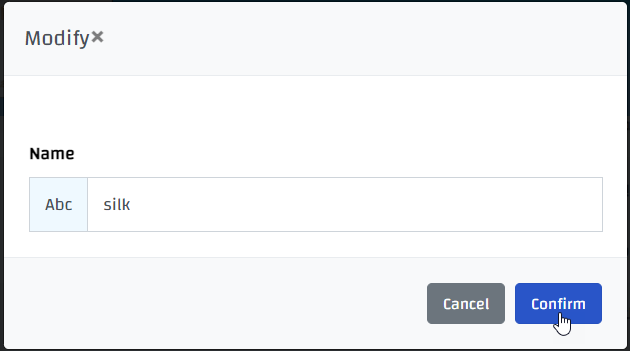
3- In case you want to edit press on data modification button(1) and edit what is needed -> then press on save changes as shown
4- In case you want to delete press on delete button(2) in case of successful operation, a message will appear (Deleted).

But be careful, deletion is an action that cannot be undo!!